Knowledge Directly in the Recipe
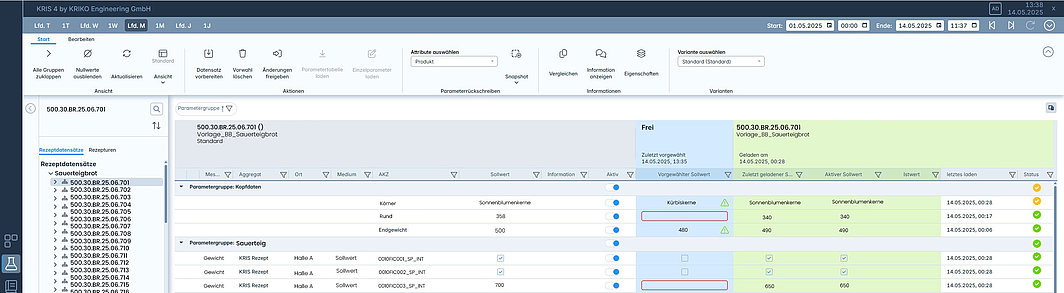
Document your experience where it’s needed—right next to the parameters. Every recipe has its own unique characteristics. Some parameters are critical, while others require special attention. With the “Show Information” feature, you can document this knowledge exactly where it will be needed later.
The following content can be added:
- Formatted text (Rich Text Format)
- Images
Information on two levels:
Recipe level (entire data set)
General notes on the complete recipe: “Pay particular attention to uniform temperature distribution for this product”
Parameter level (individual values)
Specific notes on critical parameters: “This pressure value may deviate by a maximum of 5 bar; otherwise, quality issues will arise”
Your Benefits:
Empirical knowledge becomes shareable
Any authorized employee can add notes. What the early shift supervisor identified as critical is immediately known to the late shift.
Automatic documentation
Every note is automatically tagged with the author’s name and a timestamp. You always see who added what information and when.
Faster onboarding
New employees find important notes directly on the recipe—instead of having them explained verbally by a colleague or learning through trial and error.
Context-sensitive information
The information appears exactly when it’s needed: while preparing or loading the recipe. No searching through separate manuals or documents.


![[Translate to English:] Daniel Siebrecht](/fileadmin/bilder/mitarbeiter/Siebrecht_Daniel_L.jpg "[Translate to English:] Daniel Siebrecht")
![[Translate to English:] Oliver Nann](/fileadmin/bilder/mitarbeiter/Nann_Oliver_L.jpg "[Translate to English:] Oliver Nann")